Mexico, 2026-10-28
One day I woke up and decided to experience what slow internet feels like. But I'm vastly under-equipped for that job, I am lacking dial-up internet equipment and honestly that's a rabbit hole for another day.
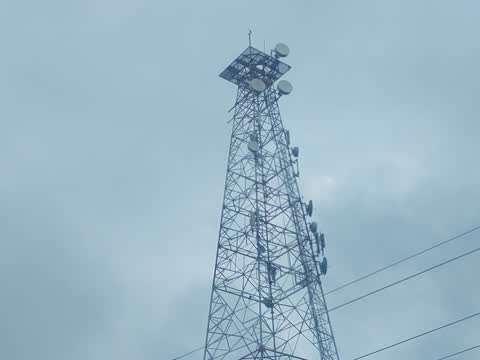
Today, we have mobile data, the internet we use while on the street or the road. The newest one is 5G, also known as NR or New Radio. Your phone needs to support 5G in order to use it, none of my devices can use it as of now, so instead they use 4G, also known as LTE or Long Term Evolution. But there's also older G's: 3G (of which there were many kinds, but the most successful one was UMTS) and 2G (the most successful was GSM). 1G exists but no 1G protocol ever existed that is part of the 3GPP "lineage", which begins at 2G GSM and only covers UMTS, LTE and 5G.
Many cell networks around the world are shutting their older networks down because it costs money (electricity) and uses radio frequencies that could be used for newer and faster protocols. However, where I live, as of today (October 28, 2026) there is still 2G GSM. It might not be long before they shut it down, so I decided to try it out before it dies.
2G GSM originally didn't have mobile data capabilities as we know them. It was released in the 1990s and was intended for calls. Early in, it began supporting SMS messages (texts), which meant your cellphone could be a pager as well. At the time it was a huge deal, message-capable cellphones were one of the biggest reasons why pagers became obsolete. GSM did support digital data using a protocol called CSD (Circuit-Switched Data) that was billed per-minute like a phone call, had very low bandwidth (9.6 kbps symmetrical) and was compatible with dial-up services and internet even from other networks (like fixed telephone lines and existing 1G networks). It is not supported anymore even in existing GSM networks because it required dial-up modem pools and it is far less efficient than the modern mobile data network systems that came after it.
It should be noted that CSD as a service only provided a digital data pipe between two devices: the caller and the callee. It did not provide internet access by itself, you were supposed to dial into an internet modem if you wanted to get online. The cell network did not need to provide a router or an IP address, it only provided your cellphone number and access to the rest of the telephone network.
In the late 1990s, GPRS was developed and released in order to increase the efficiency of networking protocols (like IP) passing through. GPRS is the basis for all later mobile data systems including the ones we use today.
It works on a fundamentally different principle than CSD. CSD reserves one (or more, but normally only one) channel for the duration of the session whether you are transmitting data or not. The channel is reserved and cannot be used by other users until you release it by hanging up. Because of this, it was billed as a call (or taken from your minutes in your plan), that is, per minute. GPRS, on the other hand, only actually uses network capacity when there's data to be sent or received.
Even if you have a GPRS session open for hours or days, merely existing in the network costs nearly zero resources on the network, and because of this, network operators often billed GPRS use by the kilobyte, not how long you were online. For long reading sessions, this was excellent because you could load a page worth of text once and sit through it for minutes knowing you could take your sweet time. Well, at least until constant telemetry and dynamic ads (or even video ads) ruined it, but that's beyond the scope of this post.
The first positive effect of this was that the maximum download speed increased significantly. While it depends on how many GSM time slots your modem (or cellphone) wants to use, most were able to use up to 85 kbps. This is actually faster than dial-up (which was common at the time) and a massive upgrade over CSD (9.6 kbps). Of course, you could use 85 kbps only if your local cell tower had zero calls going on at the time. Calls always had (and still have) higher priority than data, so if there's many calls in the network, your speeds are going to be lower. You will compete against other GPRS users as well, so in practice, at the time the usual speeds varied significantly and mostly sat at between 30 and 50 kbps. That's assuming you could download at full speed and afford the extortionate GPRS per-KB rates!
In the early 2000s, networks were impatient about the arrival of the 3G era, while the standards had been formalized, actual devices and network equipment were taking too long to become available. This era was a bloodbath in Europe, and in the Americas this allowed 3GPP2 standards like CDMA2000 and EV-DO to flourish. On the 3GPP front (the one we're rooting for), the band-aid solution was to improve GPRS (2G GSM) speeds by increasing the efficiency at which data time slots were used. Thus, EDGE was born. Again, it depends on how many time slots your device wants to use, but it usually allows up to 230 kbps, which is another massive upgrade over 85 kbps. Plus, latency fell from ~800 milliseconds to ~450 ms.
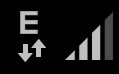
This is what you'll be using if you switch a modern device to 2G-only. You cannot use GPRS unless somehow you have a device that allows disabling EDGE extensions. You'll be using EDGE instead, and it will show an E beside your signal bars. Since the GSM network sees barely any traffic here, I was able to get about 200 kbps out of a 4G USB modem forced to 2G-only. That's pretty slow for modern standards, but that wasn't enough, I wanted to experience GPRS despair.
So, I went to the international shipping online market and found an Arduino module that contains a SIMCom SIM900 modem. This kind of module only supports GPRS, not EDGE, so it will be great for my experiments.
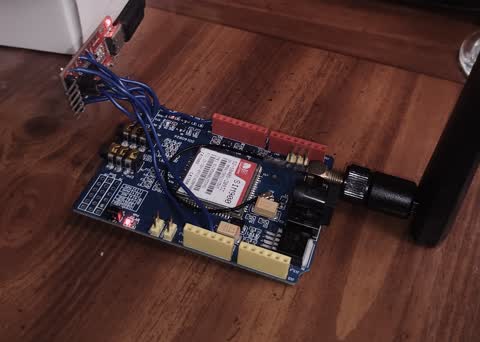
This is a SIMCom SIM900 chip sitting in a breakout board for an Arduino Uno. I already soldered a TTL UART converter (red board on the left) and attached an antenna (black thing on the right)
I do not have an Arduino, nor intend to use one for this. So, I also bought a USB to TTL UART (a modern version of a serial RS232 port) adapter and had to solder some cables to the Arduino-intended module. All one has to do is to wire the 5V lines together (so the module turns on), GND on both, and one's TX to the other's RX. I soldered more wires originally but they turned out to be unnecessary. Since the original Arduino Uno uses 5V TTL, I had to set the USB to TTL converter to use 5V TTL levels. I also had to wire a jumper line between a random 2.8V line sitting on the board and a pin that turns the modem chip on, all within the module. That was so I didn't have to manually press a button to start the modem on, instead it turns on as soon as I give it power. The UART converter has a USB-C female port, all I need is a USB-A to USB-C cable. Thus, I can connect the whole thing to my laptop and use it like a regular old GPRS modem.
This is, incidentally, what it was like to use a Nokia cellphone as a GPRS modem, the cable was actually a USB to TTL converter, albeit with weird drivers you needed to install into your computer with a CD-ROM disc.
The modem uses AT commands. You can use ModemManager on Linux (I don't, but maybe you do) and it'll be set up quickly. Otherwise, you can use pppd and craft (or download) a standard chatscript (a text file for communicating correctly with the modem before passing control to pppd) that works on USB 3G modems. The specific steps are beyond the document's scope. All you have to know, however, is that you have to set the correct APN of your SIM card's network operator using the command AT+CGDCONT=1,"IP","<apn>" (consult your carrier for the correct one), the double quotes are necessary. Then you have to dial AT*99# and then pass control to pppd so it can actually talk to the modem and use the internet using the PPP protocol. If you're using Windows, figure it out on your own, your updates will not even let you use the modem correctly anyway.
Before starting the GPRS connection it is recommended to disable other ways to be online on your PC or laptop. For example, disabling your Wi-Fi. Things get weird if you have more than one internet gateway on the same laptop. Then, you start the GPRS session in whatever your favorite way is. I prefer pppd but do whatever you want. The fastest way to know if the connection succeeded is that you run the command ip addr and check if the interface ppp0 (or a PPP interface) shows an IP address. And... it just works. I mean, there's nothing special about it, it's just being online. All that changes is that the access network is slow, but other than that, it's internet. That's it.

In this case, the cell network gave me the address 10.170.234.126, the peer is made-up by the modem and you can't ping it anyway
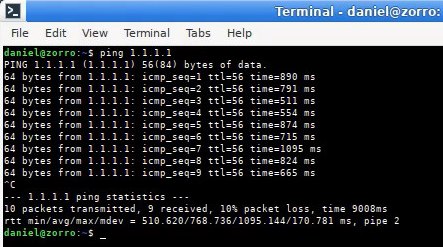
The first thing I did, of course, was to try pinging the IP address 1.1.1.1, which is Cloudflare's DNS server. It's kind of a decent proof that we're online. Performance wasn't stellar, fastest response was 511 ms, average was 768 ms and worst was 1095 ms. I wouldn't play CS:GO on this.
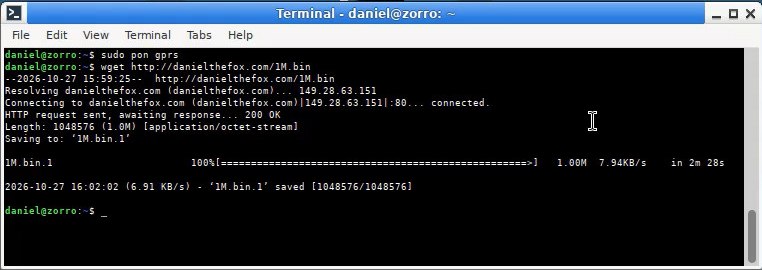
Then, I tried to download a 1 MB file from a server I own. The download took about 10 seconds to begin due to TCP and HTTP handshakes and all that stuff. Then the download began and went at a relatively constant pace. It was usually between 6 and 8 KB/s (kilobytes) and wget reported an average download speed of 6.91 KB/s.
The USB to TTL adapter has separate lights for RX and TX so you can literally tell whether you're downloading with actual lights. How cool is that?
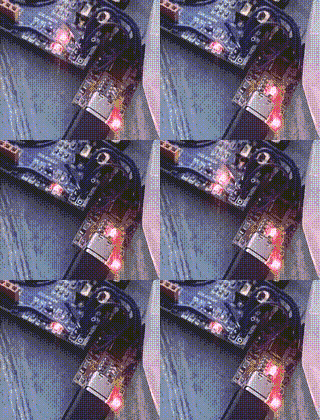
The blinking light on the left (blue board) indicates an active GPRS connection. The blinking lights on the right (red board) are the RX/TX activity lights
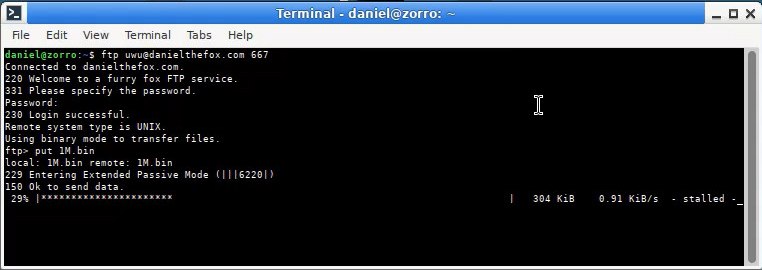
What was a real dumpster fire was uploading files. I have a personal FTP server. Yeah, I knew it was gonna be a problem so I didn't even bother with SFTP. Use protection when uploading information on the public internet, guys. Anyway, upload performance was all over the place. I tried to upload that same 1 MB file I had already downloaded. But I couldn't finish the upload. It began at 3 KB/s but it became slower and slower over time.
Welcome to a furry fox FTP service.
I think the TCP algorithm was getting confused due to either excessive buffering inside of the modem or packet loss from insufficient flow control. I am pretty sure I did enable XON/XOFF software flow control and that the modem actually supports it. I might however try another day with no flow control. The TTL connection was 115200 bits per second but the modem can't ever fill that up neither on uploads nor downloads.
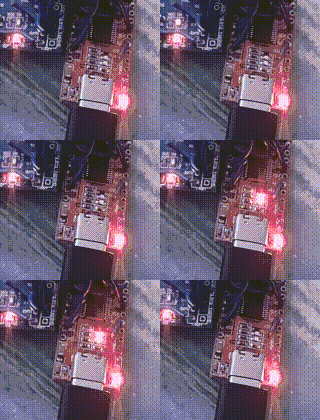
More blinkenlights. Honestly the whole device looks like a bomb
I browsed my own website, www.danielthefox.com, and had no trouble with it. Of course, I didn't dare open the videos, because I have none with a lower bit rate than the GPRS connection can achieve. Why bother. Technically, a video can be encoded that way, but that's something for another day. I did open the photo album though, and I clicked on the XGA (1024x768) version of one of them. The thumbnails took their sweet time to open, despite being 1 to 2 KB each. Perhaps it's because the browser tried to open many of them at once.
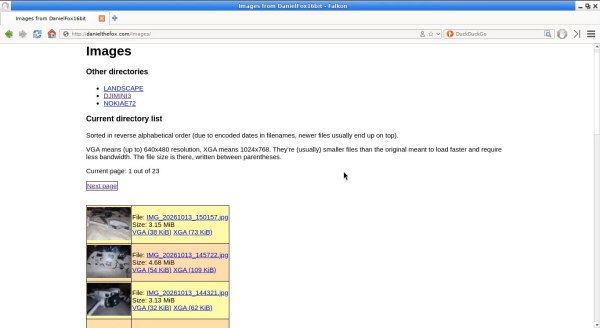
Of course it's gonna work with GPRS, the whole thing looks made at GeoCities
Opening an XGA photo with a size of 157 KB took 31 seconds, of which 6 were wasted beginning the download at all. The image did in fact slowly load from top to bottom, like how memes think dial-up image viewing was like. We can consider that one legend as true.
Then I opened a webpage called grahamdowney.com. It's someone's personal website made in the style of early 2000s websites since the webmaster (someone I know) used to play with retro computers with processors like the 386 and 486 and all that stuff. It worked, it took 20 seconds (including 6 seconds wasted beginning the ordeal) to download most assets, and another 8 seconds to download the web ring interface on the bottom. I didn't navigate the website any further.
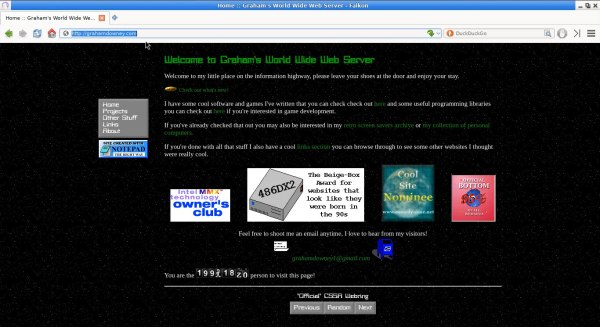
That website is far prettier than mine, not gonna lie
Finally, I tried to open a modern page, mcmackins.org, which is also someone's personal website, but more a blog than anything else. It never quite finished loading, it has a heavy background image and a lot of custom fonts and all that stuff. Too many heavy assets.

It loads quickly enough on a regular fiber connection, I promise
I didn't even try Google, but for example lite.duckduckgo.com should work just fine. I'll try that on video another day. I didn't try Wikipedia, I forgot.
Then I opened an IRC client. IRC is text-only chat. I personally have a ZNC instance, which is an intermediate that stays connected at all times to a real IRC network so I can read messages that were posted while I was absent. Imagine reading past messages being optional and requiring additional software. Opening a real IRC network directly should not cause real changes in performance since it's the same protocol anyway. It took about 7 seconds to fully open, joining channels wasn't tested but it takes 1 to 2 seconds to finish. The protocol is latency-bound anyway.
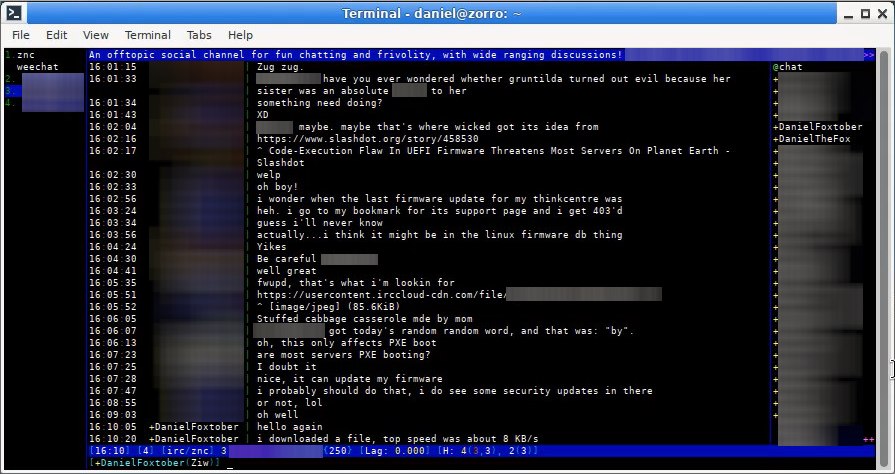
Ah, yes, I love to talk to [CENSORED] about [CENSORED] all the time at [CENSORED]. DanielFoxtober, on the other hand, is a total [CENSORED]
I ran traceroute to see what hops exist between my modem and the 1.1.1.1 server. This doesn't indicate much about performance, but I am keeping it there for the record.
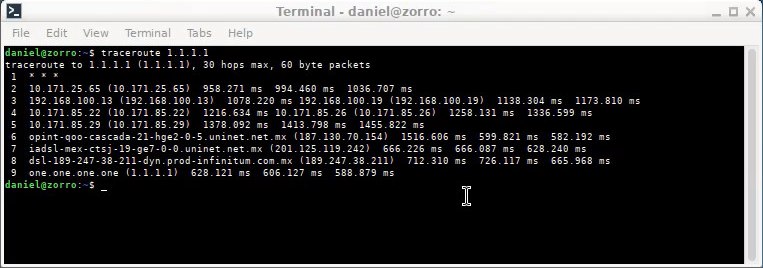
Welcome to El Interneto Ese
Modern modems have multiple serial channels in order to interact with them while still online. This one doesn't have this benefit, the adapter and the modem only have one channel. In order to interact with the modem, you have to go offline. Then you can access it with a serial terminal program like minicom to do whatever you want with it.
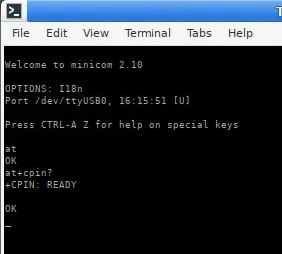
Yep, everything is ok officer, no PIN code required
The command AT+CSQ indicates what the signal is. 0 is almost dead, 31 is the best, and 99 usually means no signal. Here, it showed 17, which is like 3 bars out of 5. It's enough to achieve top download speeds though, but it can be potentially limiting on EDGE, had I tried to use that. AT+CBAND indicates which radio frequency band I'm using, in this case, it displays PCS_MODE, which refers to the GSM PCS band around 1900 MHz.
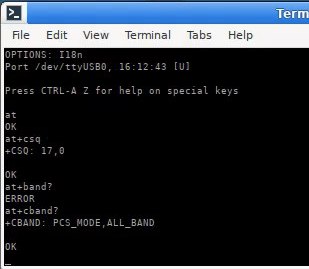
The command AT+BAND? doesn't exist so it displayed ERROR when I introduced it
AT+CENG=1 enables engineering mode (it doesn't stay enabled across reboots), after that, using AT+CENG? makes the modem display the nearest cells it can spot, up to six of them. It is connected to the topmost cell, which begins with 732 (this column refers to the channel number, or ARFCN), the other five are neighbor cells that can be sensed by the modem and could be elegible for handovers. The line contains information about area code and signal level, as well as cell network ID. Refer to the SIM900 AT command reference for the exact meaning. The PLMN ID (the network ID) has two numbers, here, it's 334 and 20. The first number is the country code, 334 is Mexico, and 20 (or 020, for some reason this modem removes the leading zero) has been assigned to TELCEL, the specific network I'm using.
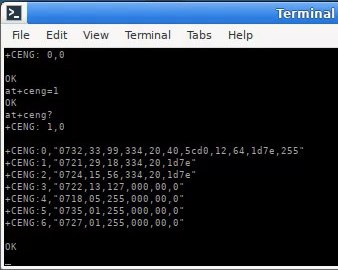
Looks like greek to me. I can't believe I can look at these numbers and know what they mean where they are
There's no hack, this is slow and that's about it. Opening YouTube would be foolish, the front page would not even load. Everything would time out. And the telemetry, cookie and metadata uploads alone would mess with the upload capacity and cause even more issues.
Another day I want to be able to test more things, like calls and tracker music playing, but for now, I think this has been enough testing. Things take their sweet time to open. Modern protocols likely don't work. But it's okay, I'll test more things later. If only so one knows what kind of disaster awaits us.
Cheers, and have a nice day, folks.